









|
Not any more. |
LiveMix
|
Isaacsoft LiveMix for Windows
|
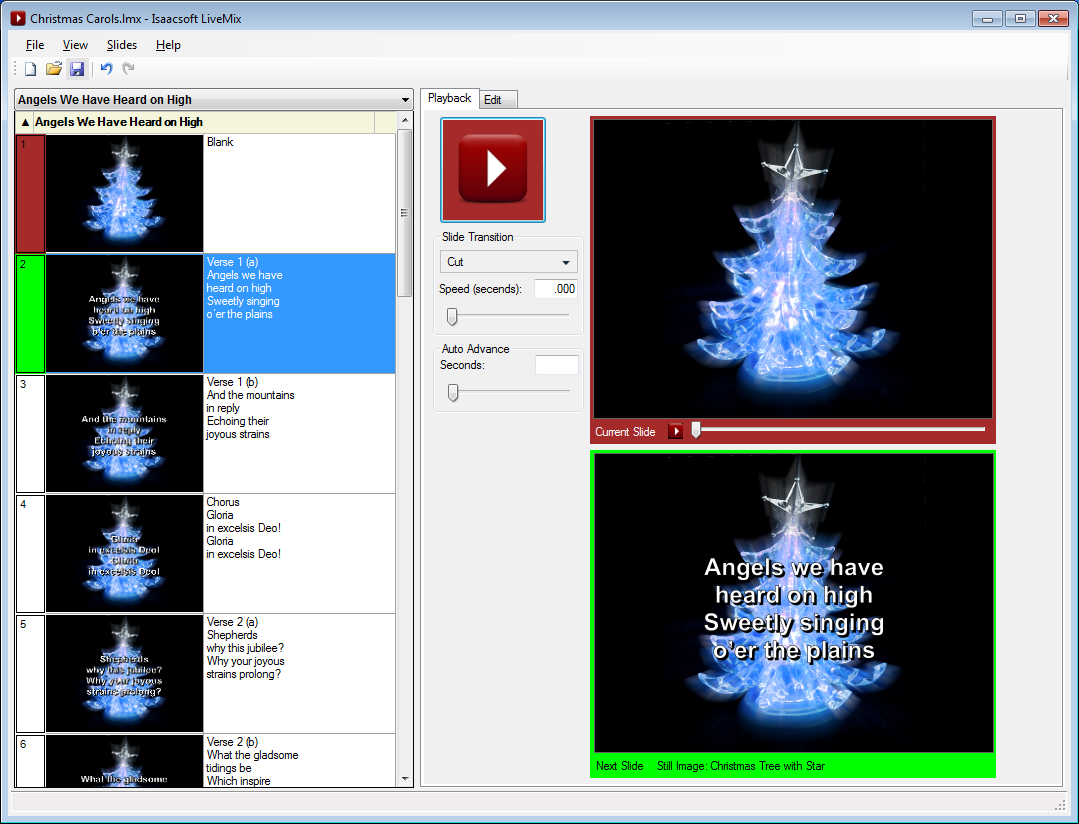
LiveMix produces sophisticated, professional multimedia presentations. If all you need is a basic presentation with still pictures and text, then PowerPoint will do. But if you need text over full-motion video clips or loops, you need the power of LiveMix! LiveMix is ideal for churches, schools, or businesses, any place where the quality of a seamless presentation matters. |
|
Key LiveMix features:
- NEW! Opens ProPresenter and MediaShout files!
- Slide backgrounds can be video clips or loops, still photos, or solid colors
- Transitions are precisely executed and timed
- Built-in, easy-to-use slide editor
- Instant response to operator commands
- Dozens of transitions are available
- Text can be displayed in any color, with outlines and shadows for better visibility
- Slide editing is hidden from the audience, even when the presentation is live
- Slide groups are automatically stored in a library for future re-use
Check out a more complete list of features that set LiveMix apart from other presentation software. Or you can try it free today!
Purchasing LiveMix:
LiveMix is available for only $79 per site license.
You can download and install a fully functional copy of LiveMix today, without any cost or obligation! You can immediately create, save, and play back your scripts. Until you purchase one of the above licenses, a watermark will be displayed on the presentation screen.
When you purchase LiveMix, you will receive a license file by e-mail, usually within 24 hours. Licensed users enjoy the following benefits:
- Free technical support via e-mail
- Free minor updates and bug fixes
- Discounted major upgrades
Questions?
If you have questions or comments, please send e-mail to [email protected]. Response time is usually less than 24 hours.
Copyright � 2012 by Tony Isaac